Breakwater
Coming soon

Game
Breakwater
A seafaring tower defence for iPhone. Pirates are burning down the coast and one lighthouse is still standing. Captain your boat around the island, build towers on the buoys and hold the line through four worlds, night attacks and boss fights.
One thumb is all you need. No account, it plays offline, and the only ads are the ones you choose to watch for a bonus.
Coming soon to the App Store
Screenshots
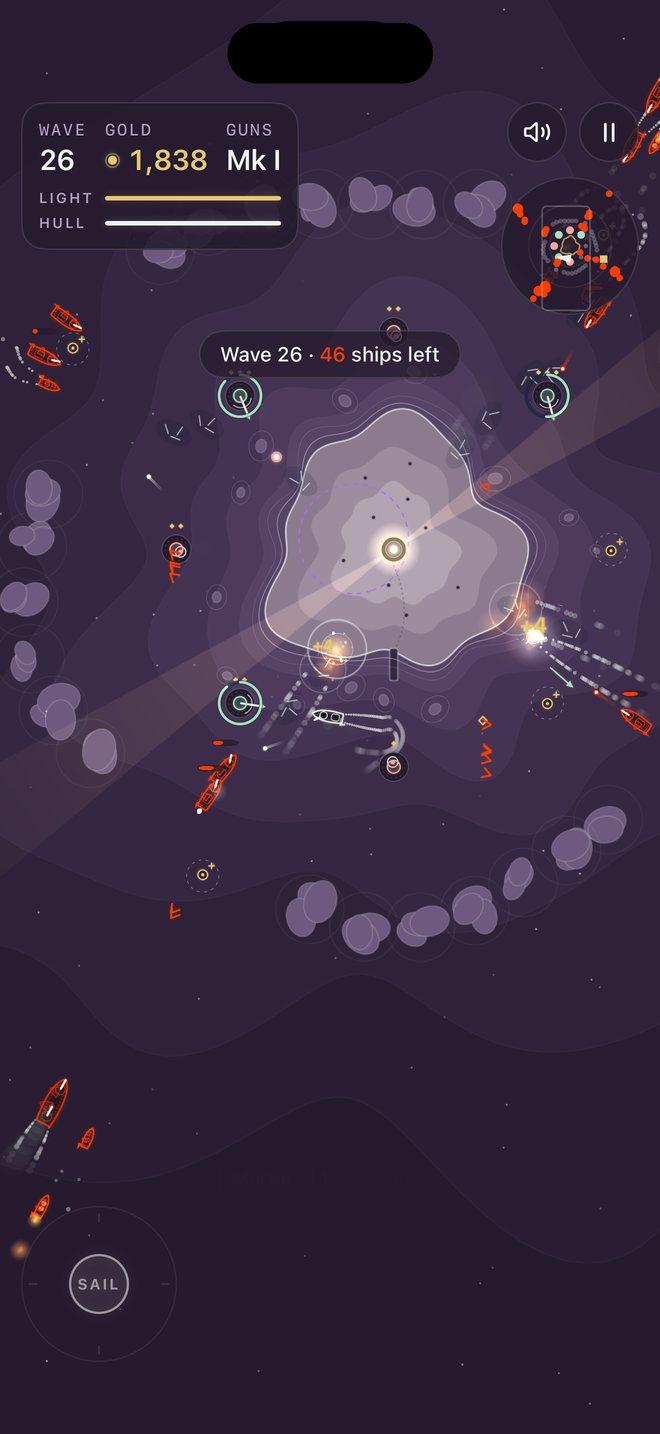
Pirate fleets attack from every side 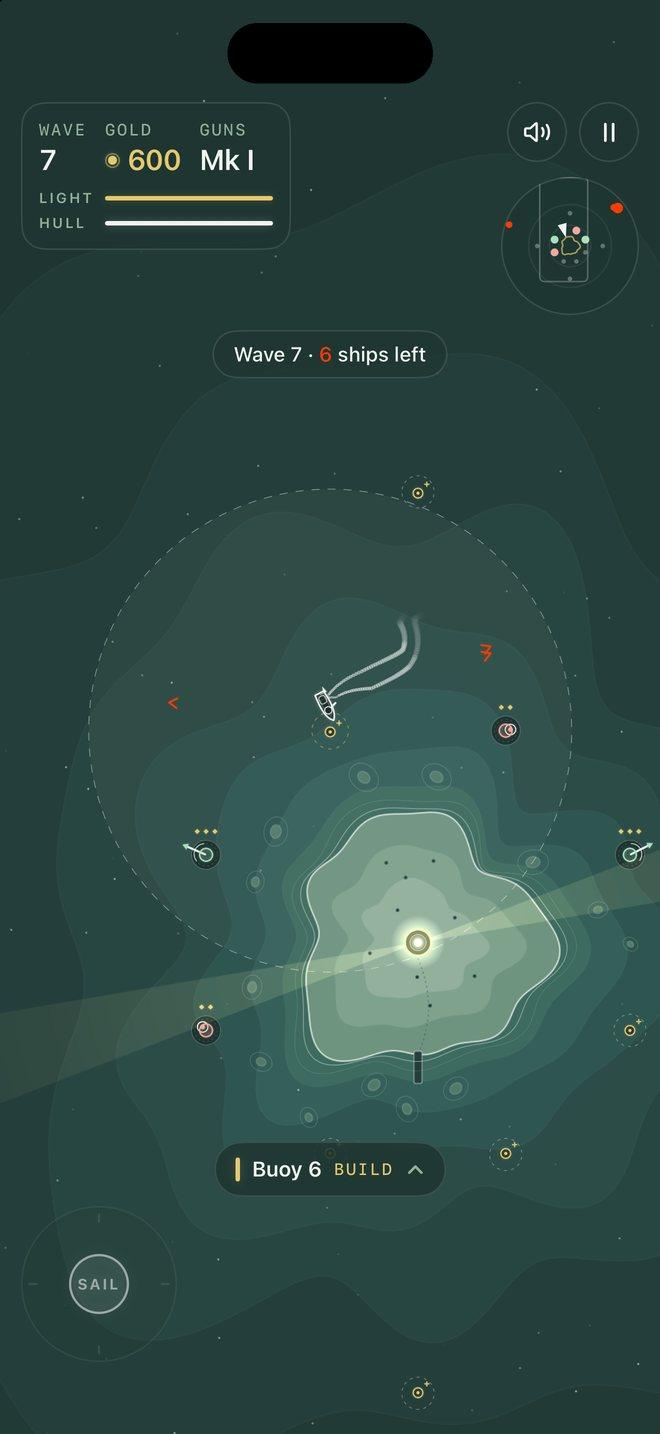
Build towers on the buoys 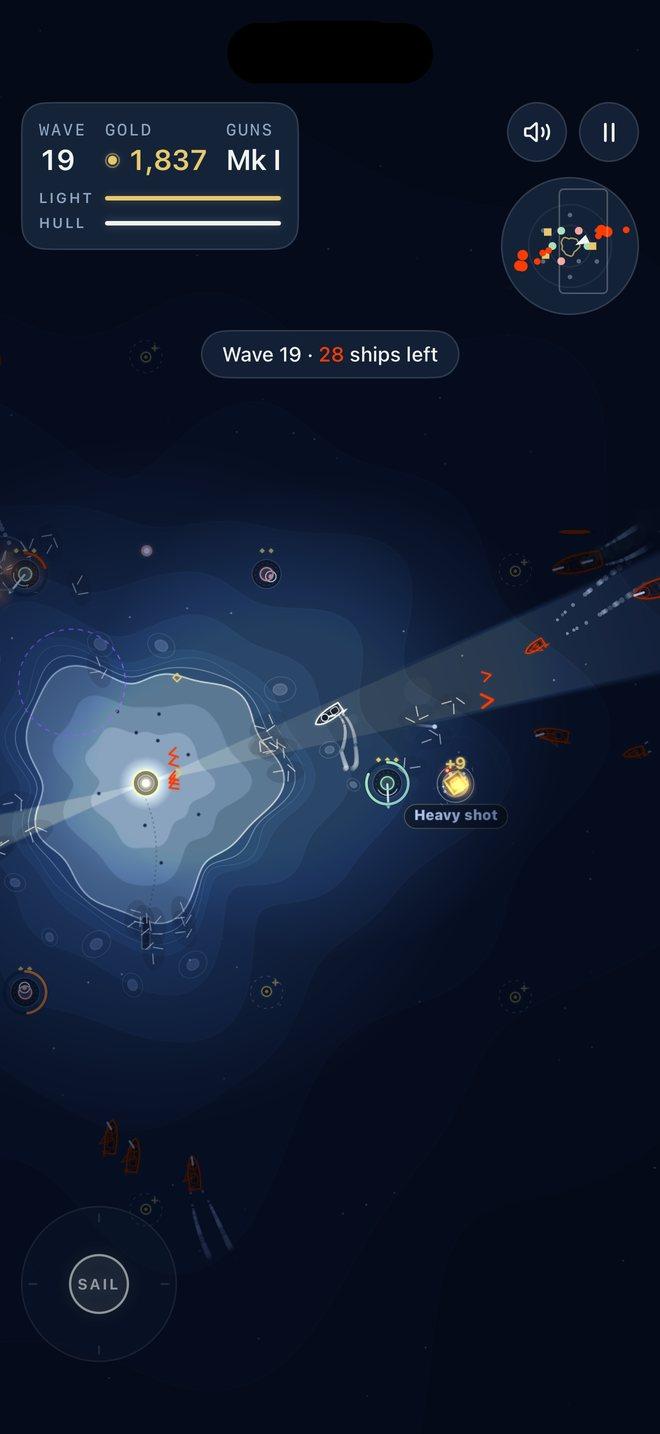
Survive the night 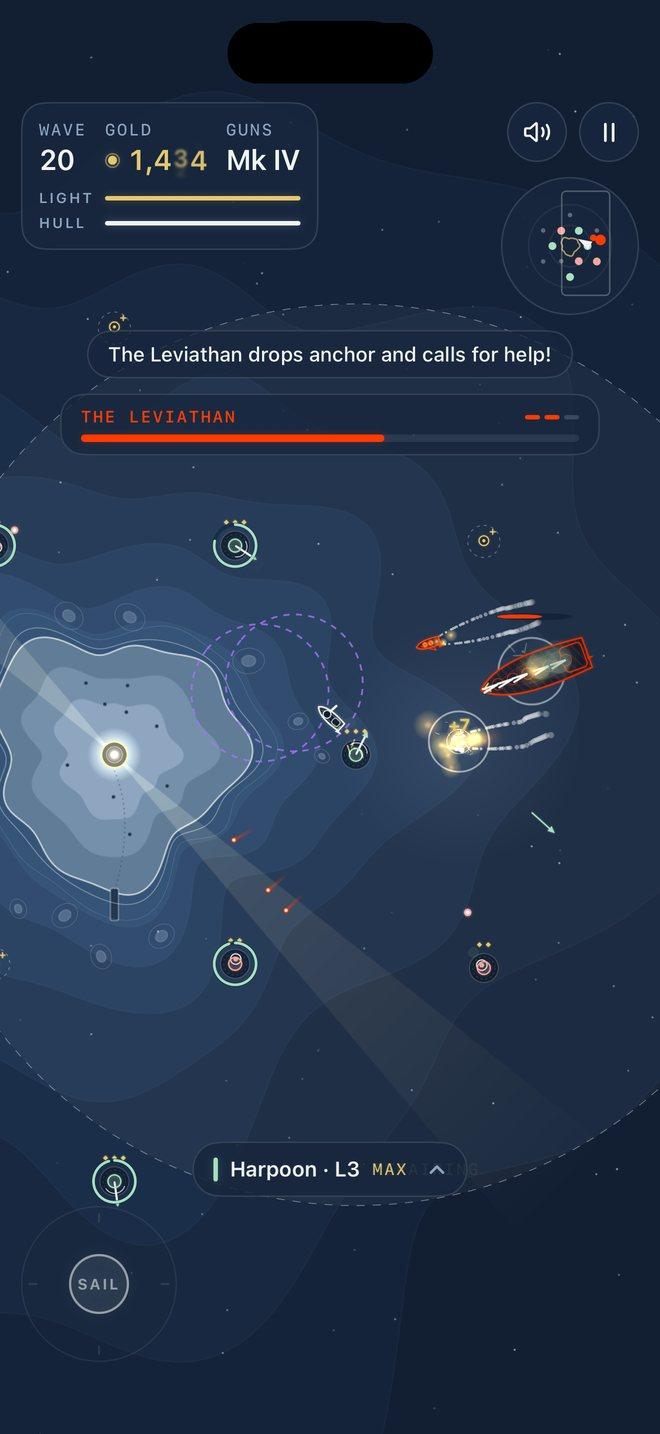
Sink four world bosses 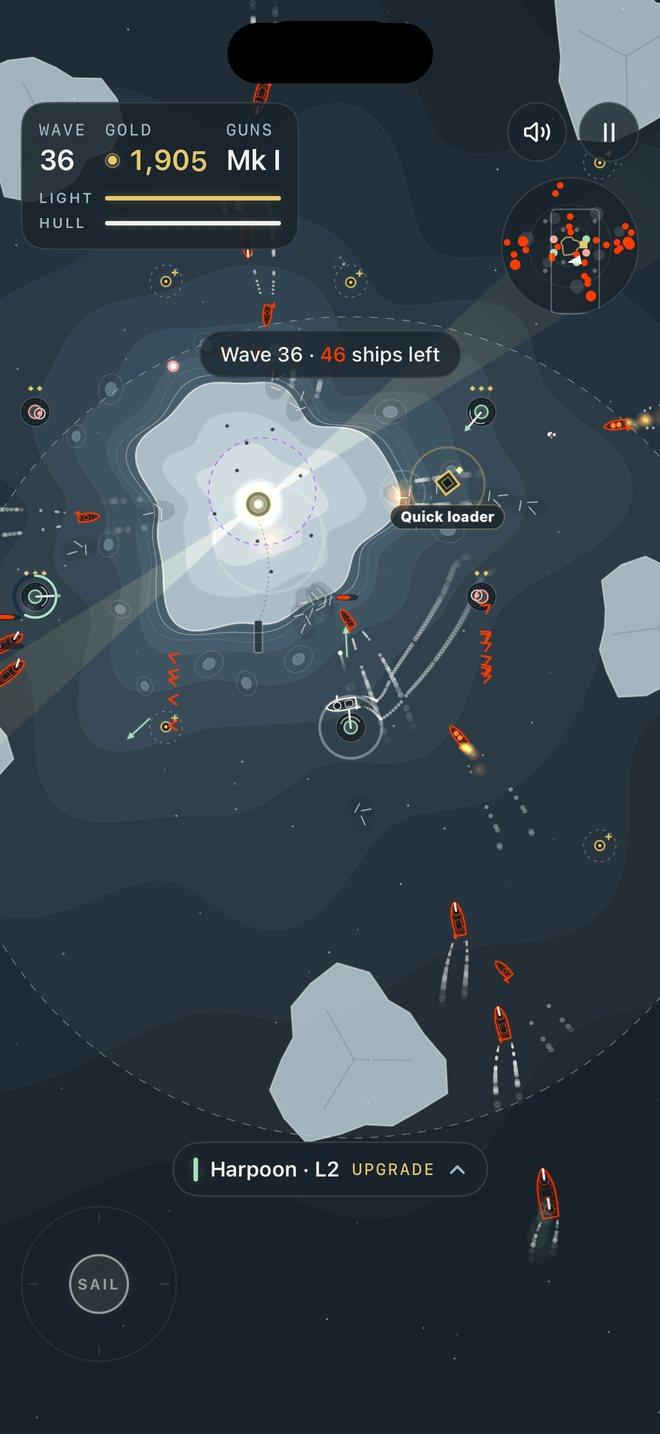
Sail four worlds 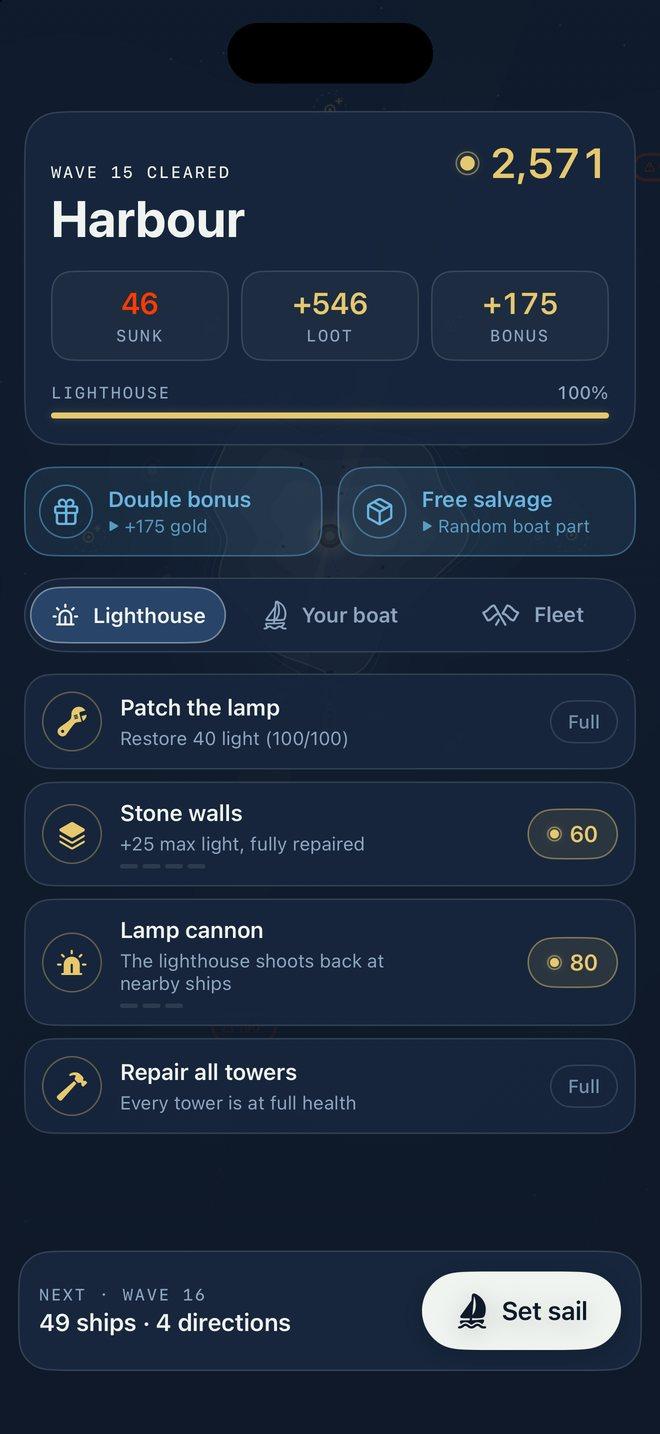
Upgrade between waves
How to play
- Touch anywhere low on the screen and drag. A sail stick appears under your thumb and your gun fires by itself at the nearest pirate in range.
- Sail up to a gold buoy and tap the chip that appears to build a Cannon, Harpoon or Mortar.
- Keep the pirates off the lighthouse. Each wave comes from the bearings shown before it starts.
- Spend your gold in the Harbour between waves, then set sail for the next one.
Help
- How do I sail and shoot?
- Touch anywhere on the lower half of the screen and drag: a sail stick appears under your thumb, and letting go next to a buoy brings the boat to a stop. With auto-fire on (the default) your gun fires by itself at the nearest pirate in range. To aim yourself, turn off auto-fire in Pause › Settings and you get a separate fire stick. Left-handed puts the sail stick on the right.
- How do I build or upgrade a tower?
- Sail up to a gold buoy and a small chip appears above the sticks. Tap it to open the build menu and choose a Cannon (steady fire), Harpoon (long reach, pierces hulls) or Mortar (lobbed shells with a big splash). Sail up to a tower the same way to upgrade it, up to level 3. Staying close to a damaged tower repairs it. If you’d rather the menu opened by itself, turn on Auto build menu in Settings.
- What are veteran towers?
- Every wave a tower survives makes it a veteran: 6% more damage and 4% more range each time, up to 12 waves. Veterans grow on the map and earn a rank chevron every third wave.
- What can I buy in the Harbour?
- Between waves you can patch the lamp, build stone walls for more light, arm the lighthouse with a lamp cannon, repair all your towers and upgrade your boat. After each world boss, the Fleet yard sells escort ships and deck turrets.
- What are pearls?
- Pearls are what you keep between runs. You earn them at the end of every run: 10 for each wave you held, 1 for each ship sunk, and more for bosses. Spend them in the Shipyard on new boats, the Clipper and the Brigantine, and on permanent Admiralty perks.
- How many worlds are there?
- Four, ten waves each: the Forest Coast, the Deep, the Shoals and the Frozen Reach. Each has its own map, colours, music and pirate fleet, a night attack and a world boss. After the Pirate Admiral the sea goes on, so you can keep chasing a higher wave.
- Will I lose my progress if I close the game?
- No. Your voyage is saved every time you reach the Harbour, and the title screen offers Continue voyage. A wave that was in progress when the game closed is replayed from the Harbour before it. Your pearls, perks and boats are always kept. Everything is stored on your phone, so deleting the app deletes your progress.
- Are there ads?
- Only if you choose to watch one. In the Harbour you can watch a short ad to double your wave bonus or get a free boat upgrade, after losing you can watch one to relight the lamp, and at the end of a run one doubles your pearls. There are no banner ads, and an ad never interrupts a wave.
- Does it work offline?
- Yes. Breakwater plays fully offline. You only need a connection if you choose to watch an ad.
- Can I change the sound, text size or motion?
- Pause › Settings has sound, music volume, haptics, auto-fire, auto build menu and left-handed controls. The game respects the silent switch and plays alongside your own music. Menus follow your iPhone’s text size, buttons have VoiceOver labels, and Reduce Motion turns off screen shake and flashy effects.